Post Purchase Upsell Hero displays your offers in your store language and translates all default texts automatically, for example the button labels and the countdown text.
Automatic default translations
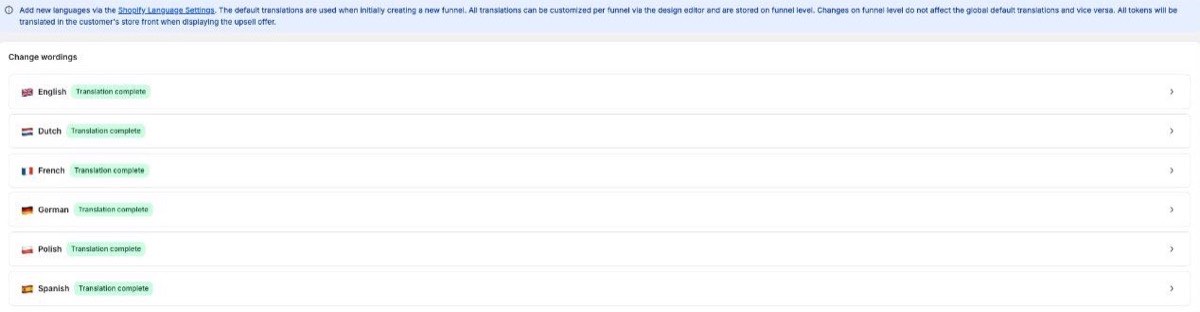
When you create a funnel, all standard texts are pre-filled in your store's language. Default translations are currently available for English, German, Dutch, French, Polish and Spanish, and you can customize every wording on the Translations page. New languages are added via your Shopify Language Settings.
Editing the texts of an EXISTING funnel
This is the most important rule to understand:
Texts of an existing funnel are edited in the Funnel Editor of that funnel (Design > offer layout). All translations are stored on funnel level.
The Translations page is a template only: it defines the default texts used when a funnel is CREATED. Changing it does not update funnels that already exist, and changes on funnel level do not affect the global defaults.
So if you change a wording on the Translations page and nothing happens on your live offer, that is expected. Open the funnel itself and change the text there.
"Why is my offer shown in English?"
The most common causes:
The funnel was created while the store language or the template texts were set to English. Fix the texts directly in the Funnel Editor.
Custom texts you entered yourself are never translated automatically. If you write your own headline, you own its language.
Multi-language stores
Use the language preview in the Offer Editor to check your offer in every language your store sells in, and adjust texts where needed. Do this before publishing, and place a test order to verify the live result.
The product title is a text field in the editor for each language. It starts from the product title in your Shopify catalog, and the offer's auto-translate option includes it.