
The Analytics page shows your upsell performance in real time. This article explains every metric and answers the most common analytics questions.
The metrics
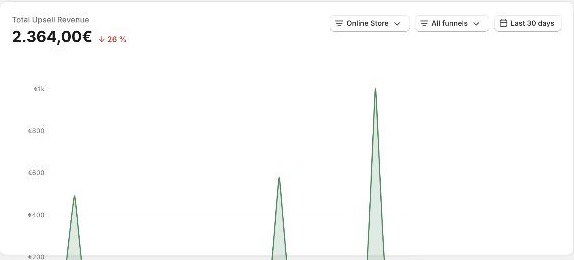
The revenue figure at the top has a Gross / Net after refunds toggle. Gross counts all revenue from accepted upsells. Net after refunds subtracts upsell items that were later cancelled or refunded, and the chart breaks out the refunded amount as a separate line.
Below it, the KPI grid shows:
Orders: paid orders in the selected sales channel and period.
Impressions: how many times an upsell offer was shown in the selected period.
Display rate: upsell impressions divided by paid orders.
Accepted upsells: post-purchase upsells customers accepted in the selected period.
Conversion rate: accepted upsells divided by upsell impressions.
Revenue per visit: upsell revenue divided by unique upsell impressions. Switches to net after refunds when the toggle above is set to Net.
Items added: total upsell items customers added to their orders.
Items cancelled: upsell items cancelled or refunded in the selected period.
Average upsell revenue: upsell revenue divided by accepted upsells. Switches to net after refunds when the toggle above is set to Net.
Under the KPI grid, the Funnel performance and Product performance tables break the results down per funnel and per product. Funnel performance lists only funnels that were shown at least once in the selected period. Each table has its own search field and shows 10 rows per page, with previous and next buttons below it. Changing the date range, the funnel filter or the sales channel returns both tables to page 1.
Why are my impressions lower than my order count?
This is the number one analytics question, and it is expected. Not every order can receive an offer:
Only eligible payment methods show upsells (cards via Shopify Payments, Shop Pay, approved PayPal). Klarna, wallets and express buttons never do. See Which payment methods show upsells?.
Shopify skips offers on certain orders (duties, multi-currency, local delivery, other sales channels). See Shopify limitations (reference).
If 128 orders come in and 54 offers are shown, the difference is almost always the payment-method mix, not a broken funnel.
The Order Browser: check every single order
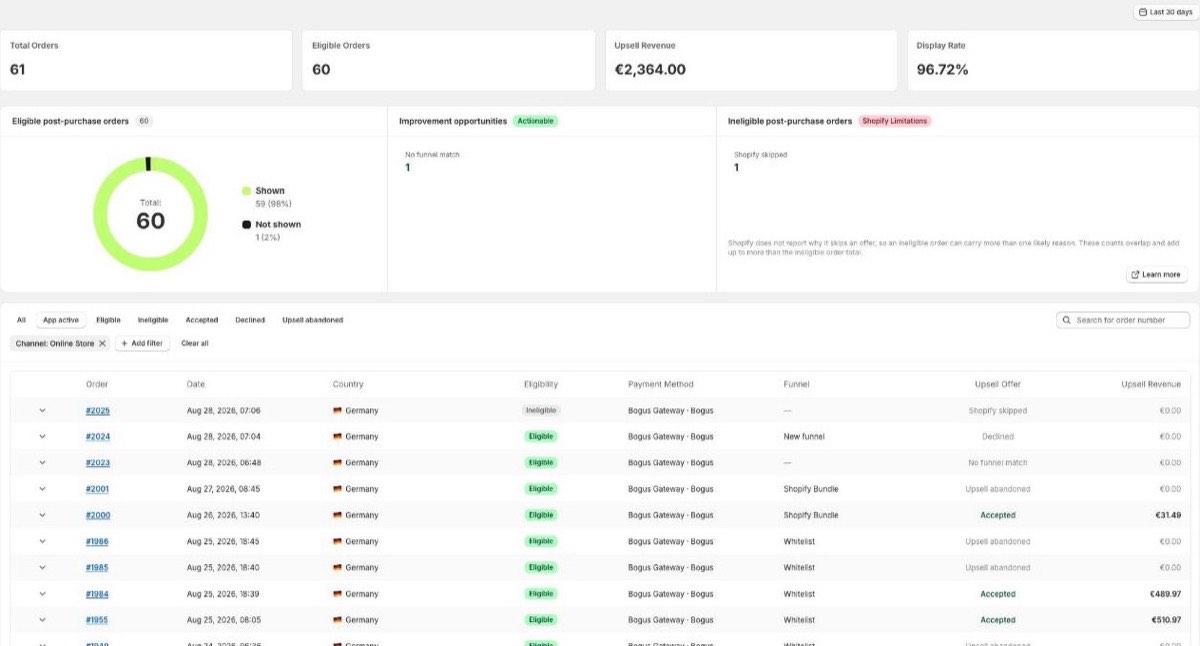
Open the Order Browser in the app to see order by order whether your customer was offered an upsell, which offer it was, whether it was accepted, or why it was skipped (for example "No funnel match" or "Shopify skipped"). This is the fastest way to find upsell orders and to debug specific cases.
Deleted funnels
Deleting a funnel does not remove its historical data. Its revenue and performance stay included when "All funnels" is selected. However, a deleted funnel no longer appears in the funnel dropdown, so its individual breakdown is not accessible anymore. If you might need the detail later, deactivate the funnel instead of deleting it.
Campaign tracking with UTM
With the UTM capture theme extension installed (see the Setup guide), you can trigger funnels per campaign and evaluate upsell performance per traffic source.
Ad platforms show different numbers?
Correct, tracking pixels do not capture upsell revenue. See Discounts, free shipping and tracking pixels.
Related articles