Hero Software changelog
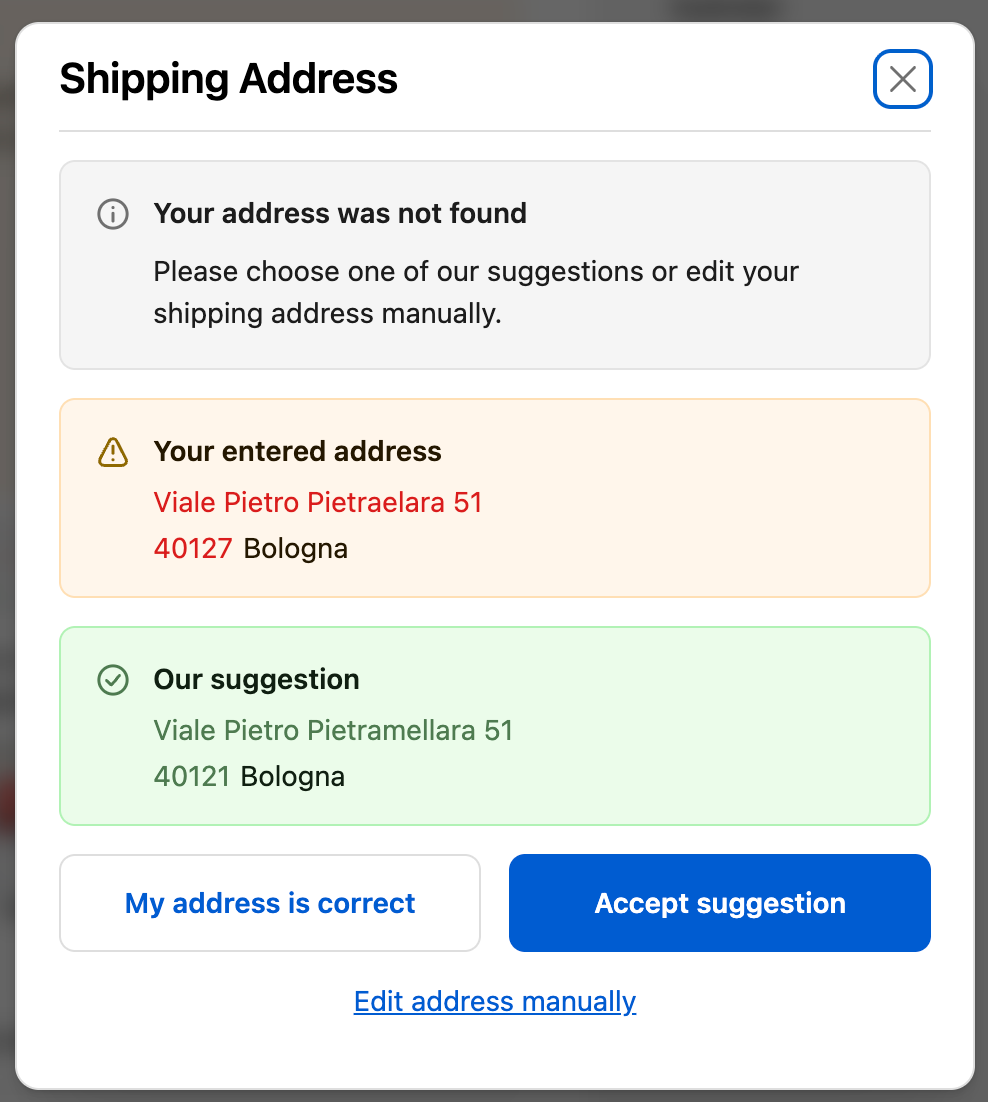
Smart AI Parsing for better validation results
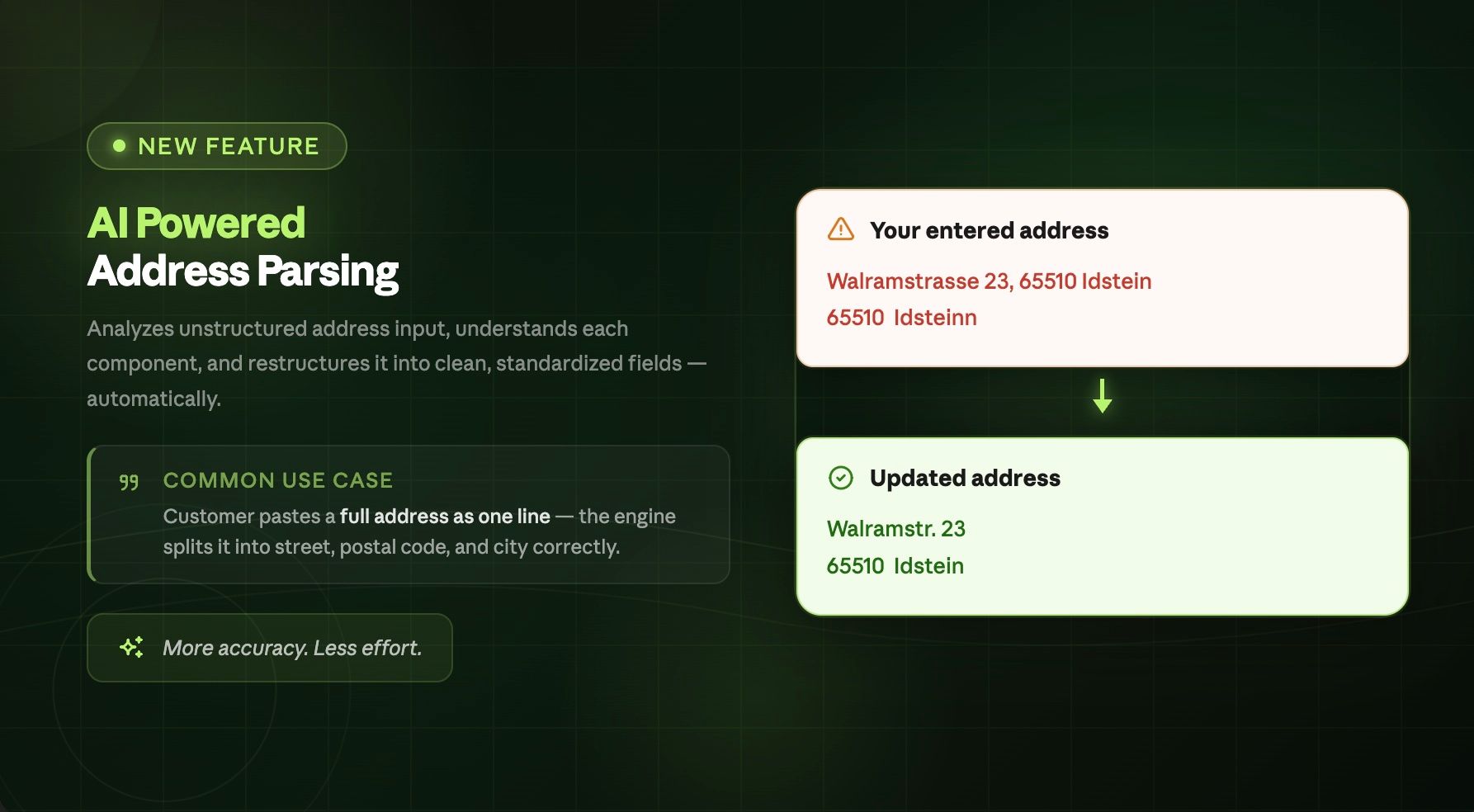
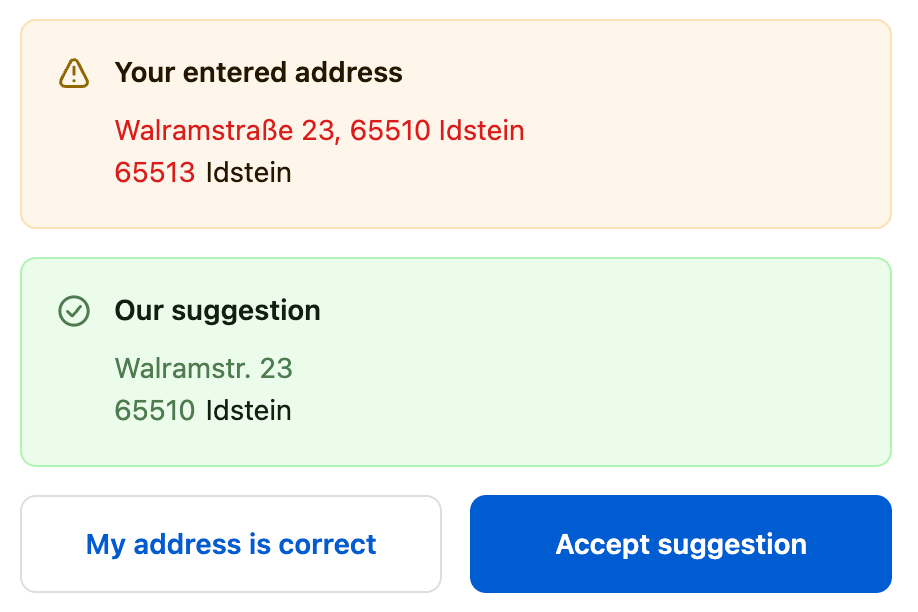
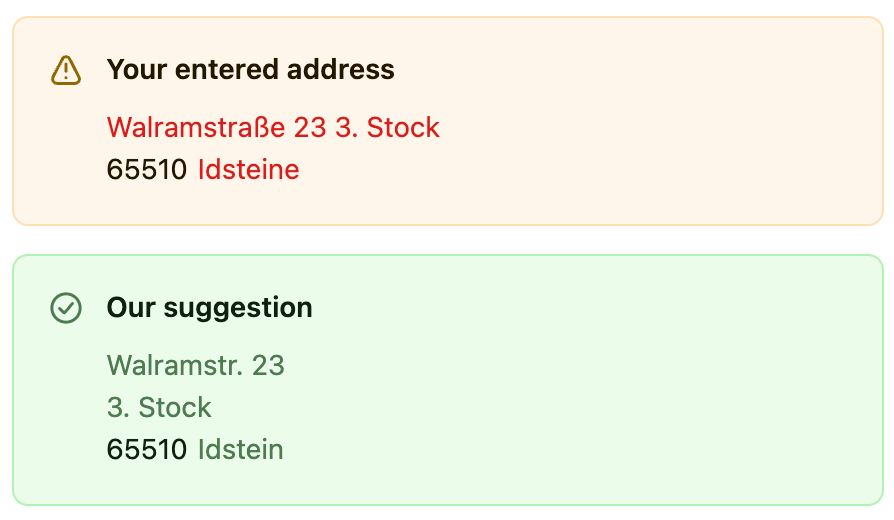
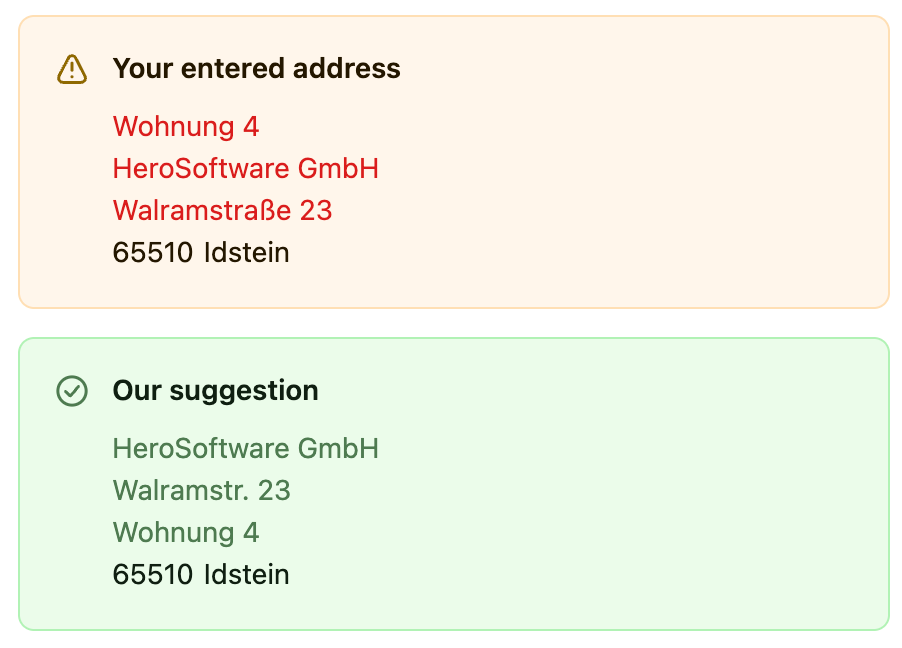
With our smart AI solution we can detect the single address components of the original shipping address: street + house number, house number affix, additional address information, company name, postal code and city. Even if the customer’s input is unstructured or information is placed in the wrong field we can provide accurate address suggestions. The feature is gradually released for different countries starting with Germany, Austria and Switzerland:
Example 1: Duplicate Information in address line 1
Example 2: Additional Information in address line 1
Example 3: Information in the wrong address field
Higher validation accuracy for US and Canadian addresses
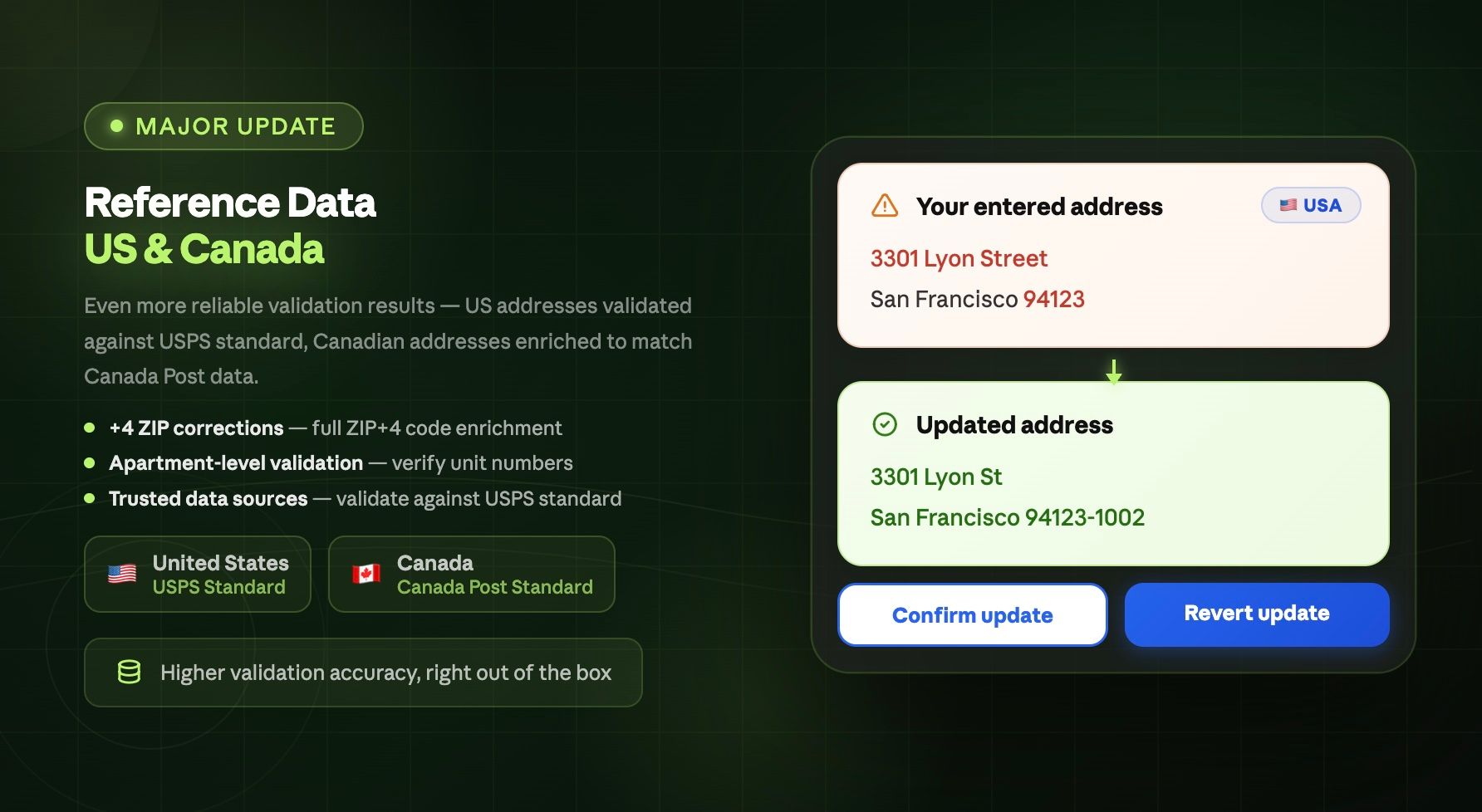
To get even more reliable validation results on US addresses we now validate addresses against the USPS standard. Also for Canadian addresses we enriched our reference data to match the Canada Post standard.
+4 ZIP code correction
Apartment-level validation
Trusted data sources
DHL Packstation Finder (Shopify Plus only)
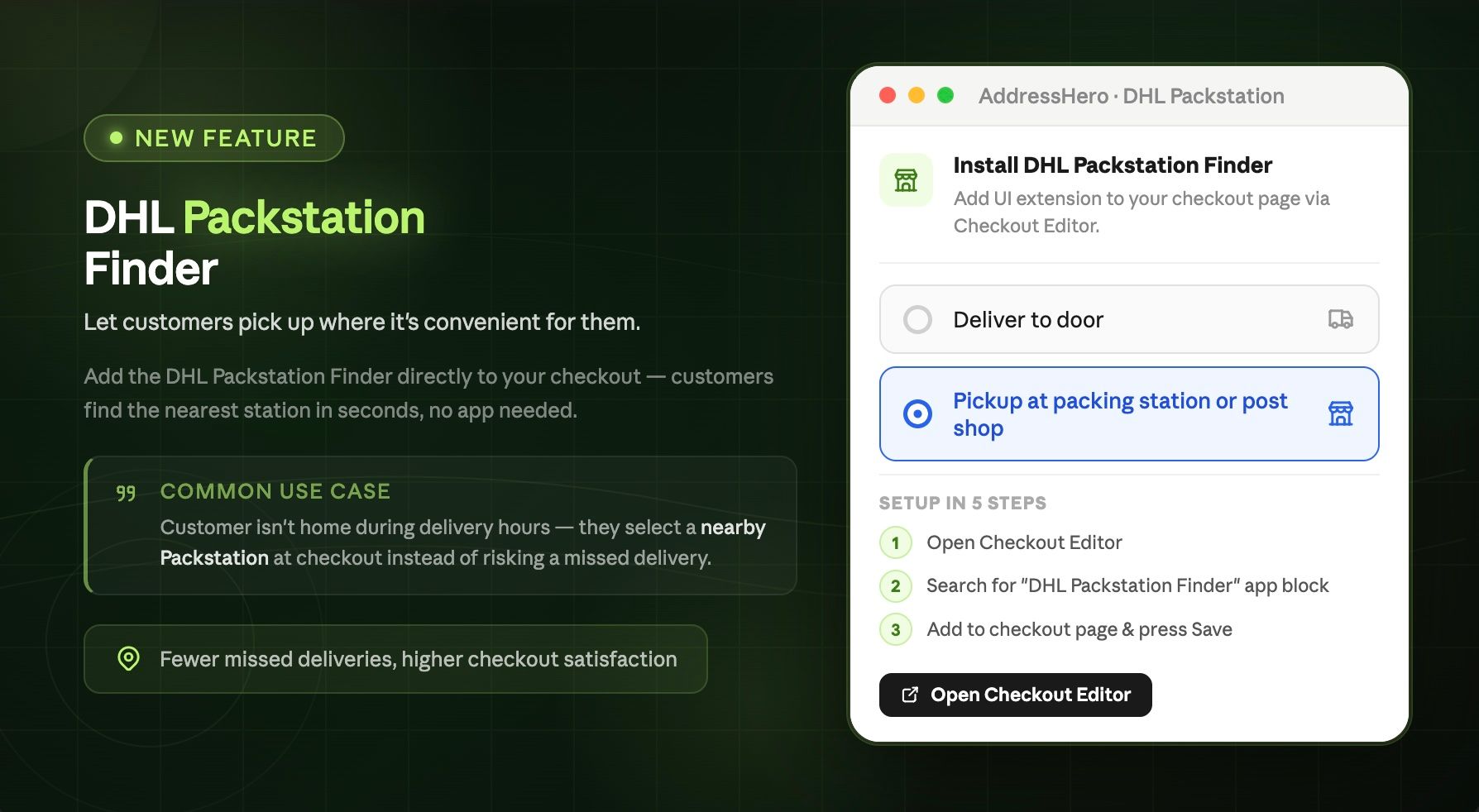
Since 01. January 2026 you can profit from a DHL discount of up to 20 cents with each package delivered to a packing station.
Make it easy for your customers to find a nearby packing station by adding our DHL Packstation Finder UI extension to your checkout page.
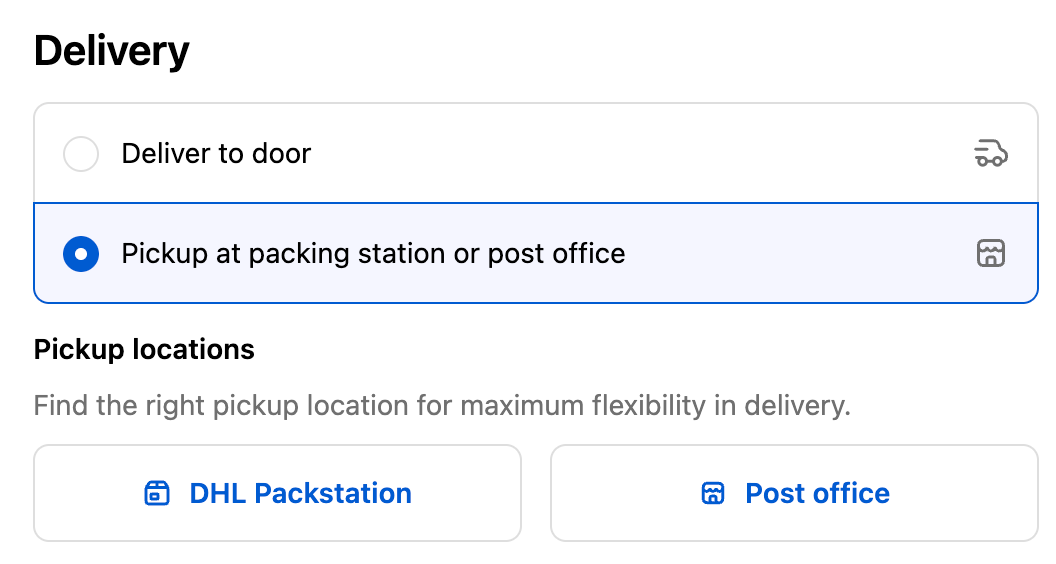
Customers can conveniently search for a packing station nearby. They just need to provide their location details.
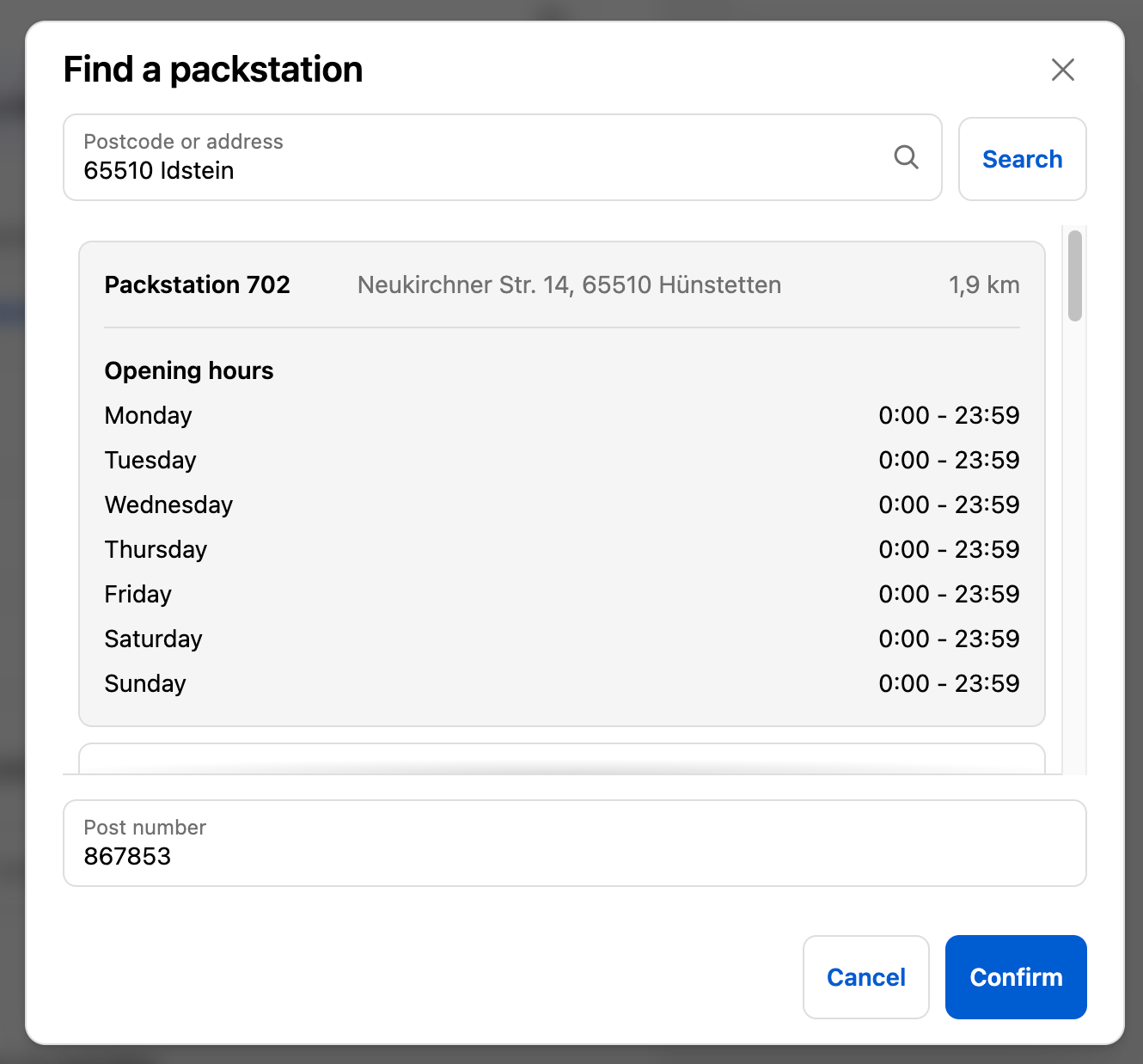
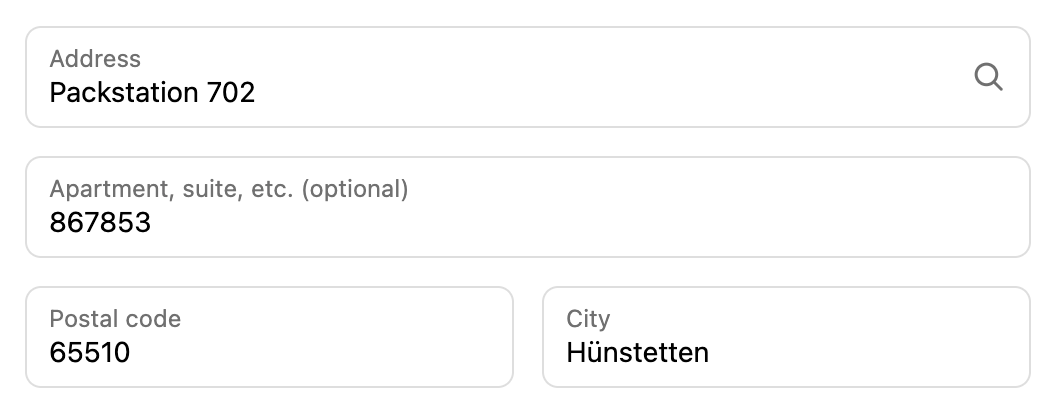
Once the right packing station is found, the information will automatically be filled into the right address fields.
Packstation + Number → Address Line 1
Post number / client ID (depending on your settings):
Company Field
Address Line 2
In-Checkout Validation: Exclude specific countries from missing house number check
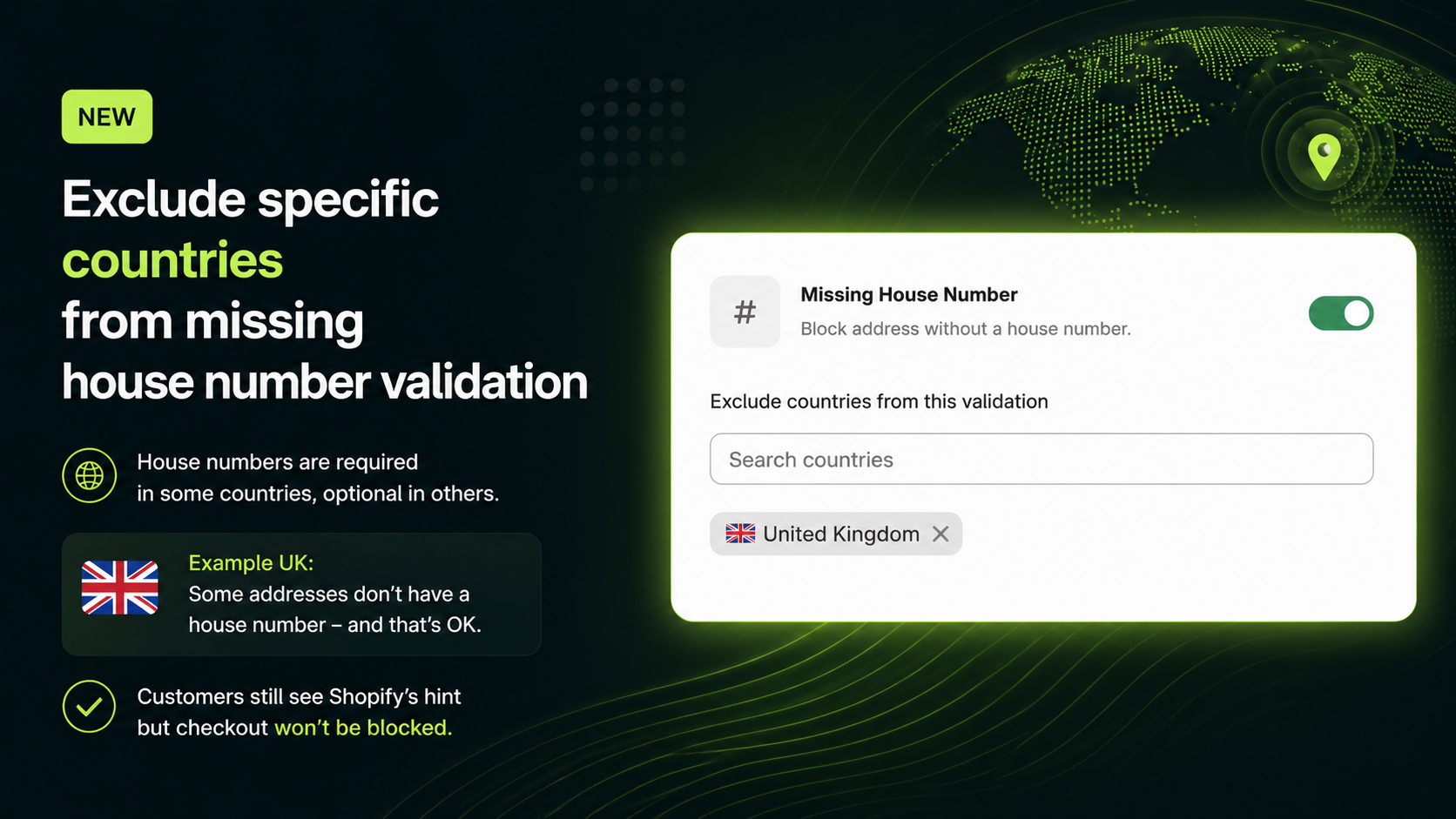
While house numbers are required in some countries, they are optional in others.

Example UK
In the UK some addresses simply don't have a house number and therefore making the input mandatory should be avoided.

Customers would still receive Shopify's native hint 'Add a house number if you have one', but the checkout wouldn't be blocked.

Address Whitelisting: Skip post checkout validation for specific addresses
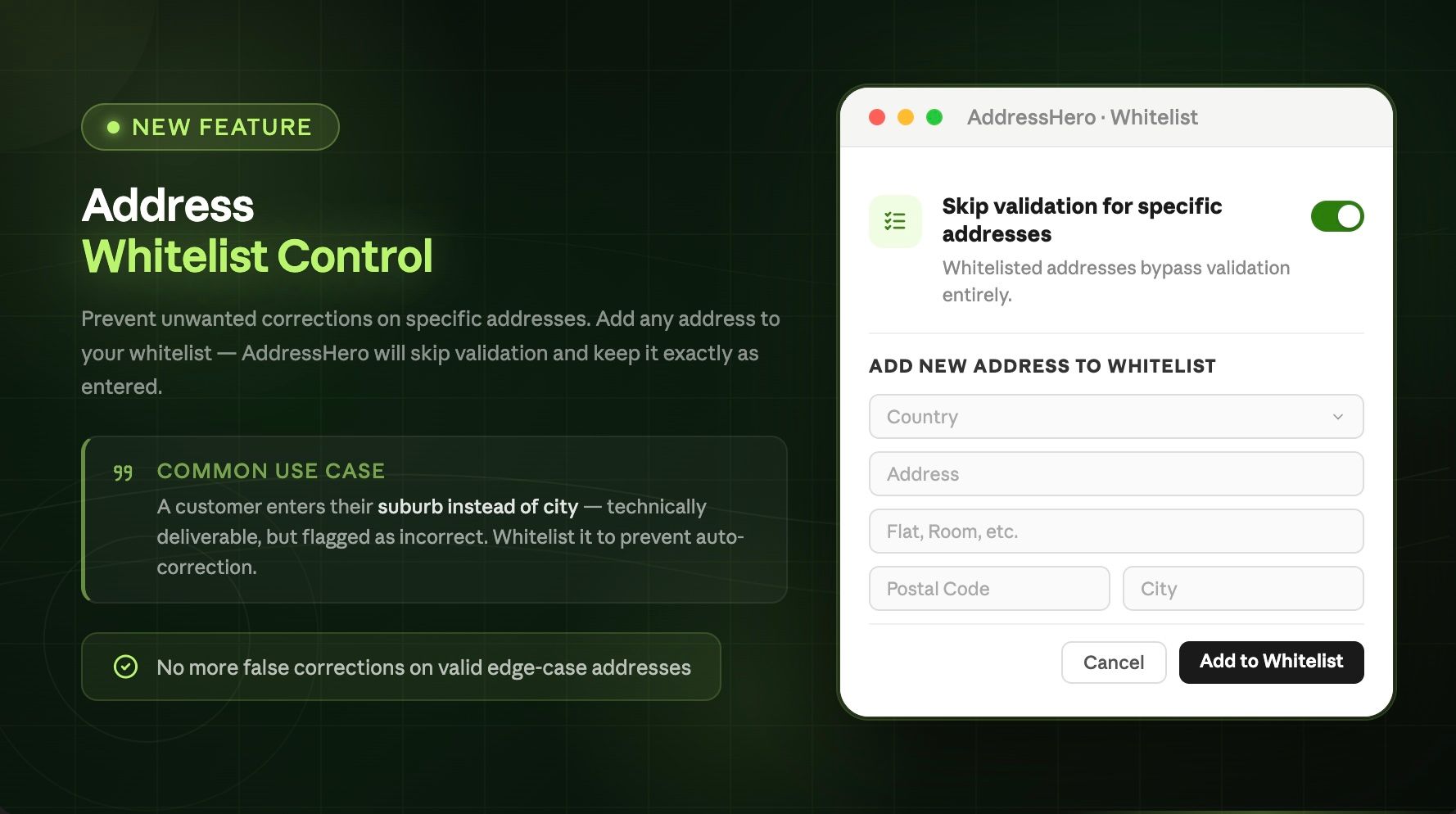
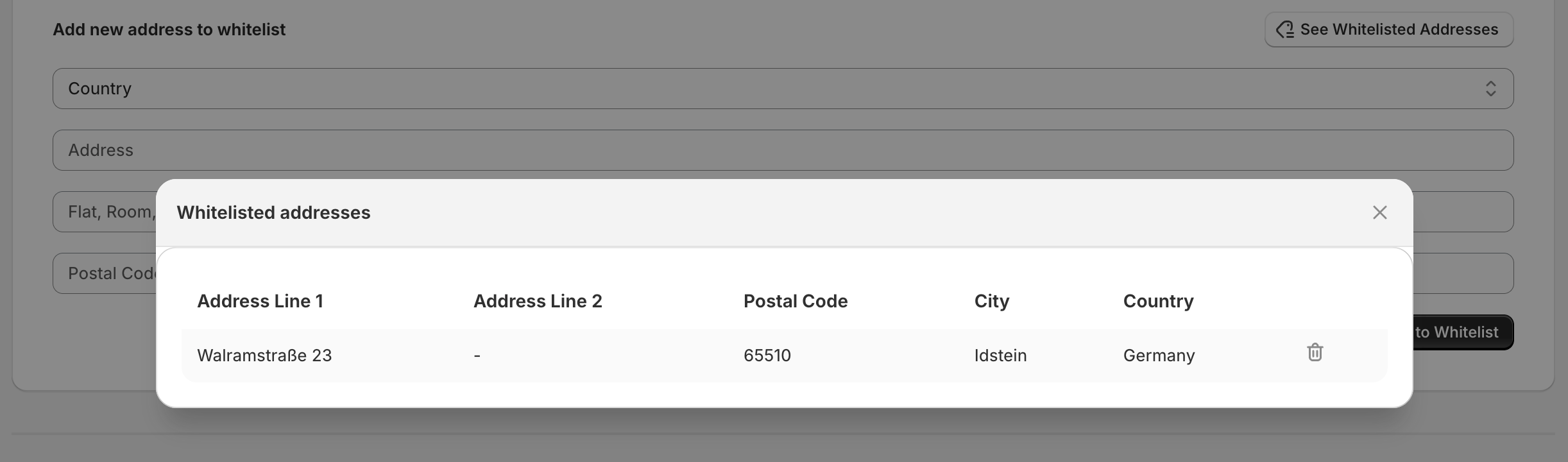
By adding a specific address to the whitelist, you can prevent any unwanted corrections for that address. The most common reason: A customer provides their suburb instead of the city name. In theory a valid, deliverable address but technically incorrect. This may would cause AddressHero to 'correct' the postal code to match the city, or vice versa.
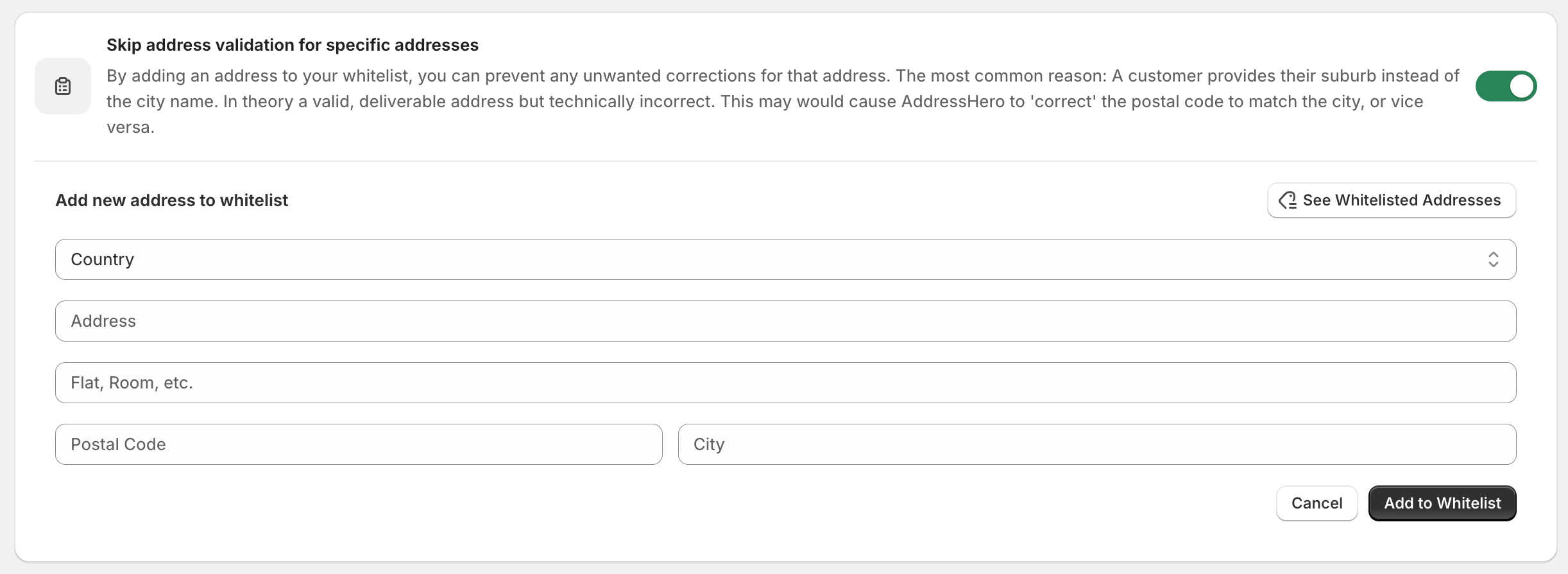
To add an address on the whitelist go to Settings > Post-Checkout Validation > Skip address validation for specific addresses
Self-service to edit shipping address after checkout
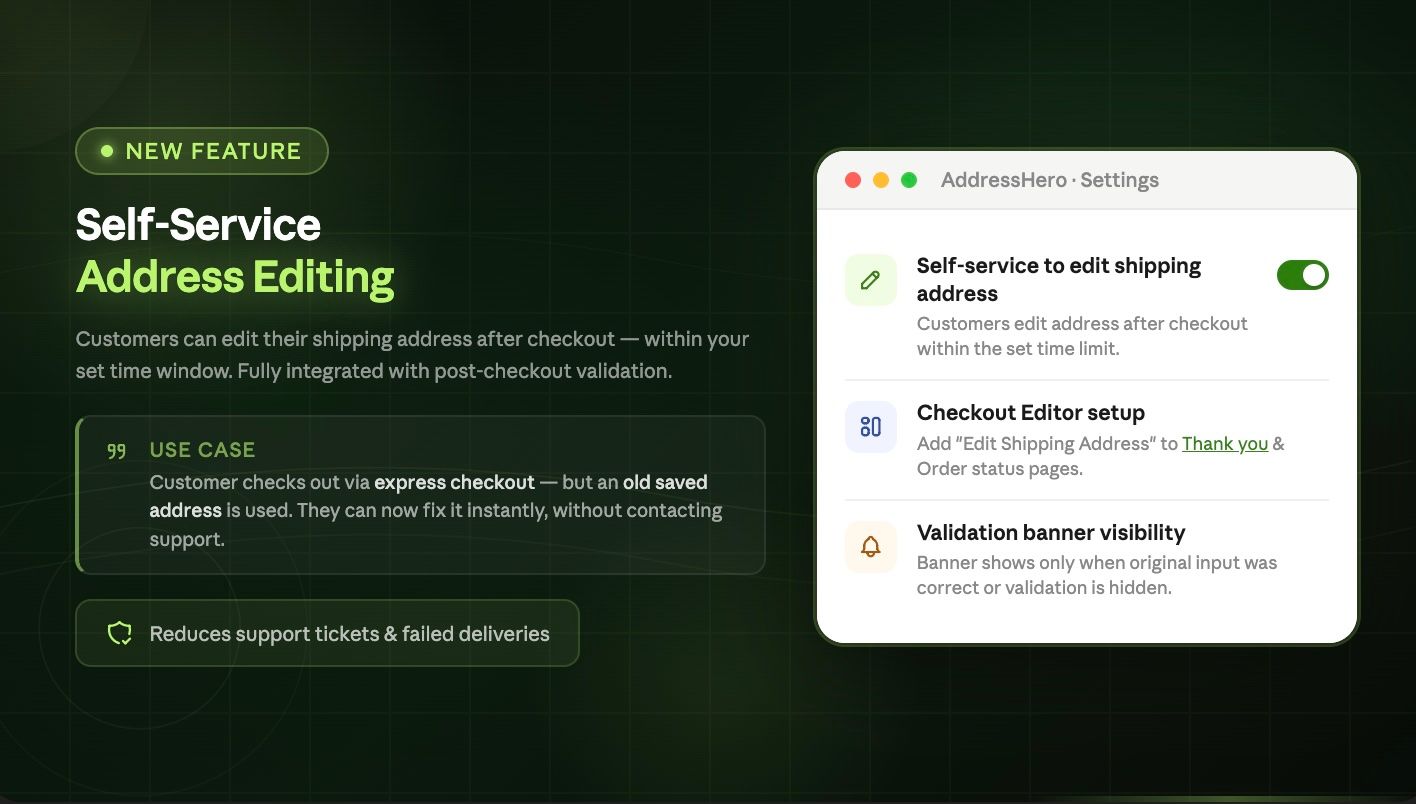
You can now allow customers to edit their shipping address after checkout. This is useful if the customer completes the checkout via an express payment method where an old address was saved and the customer wants to update their address.
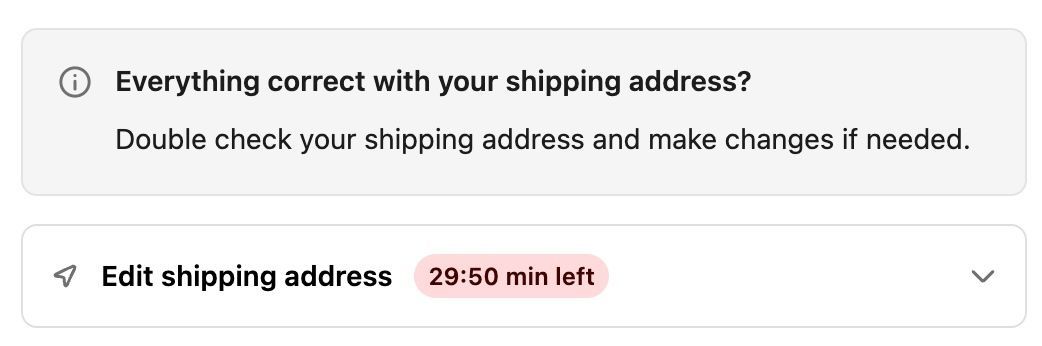
The extension is shown after every purchase, if no address error was detected.
Install the Edit Shipping Address UI Extension
Open the checkout editor and add the Edit Shipping Address UI Extension to your “Thank You” and “Order Status” page.
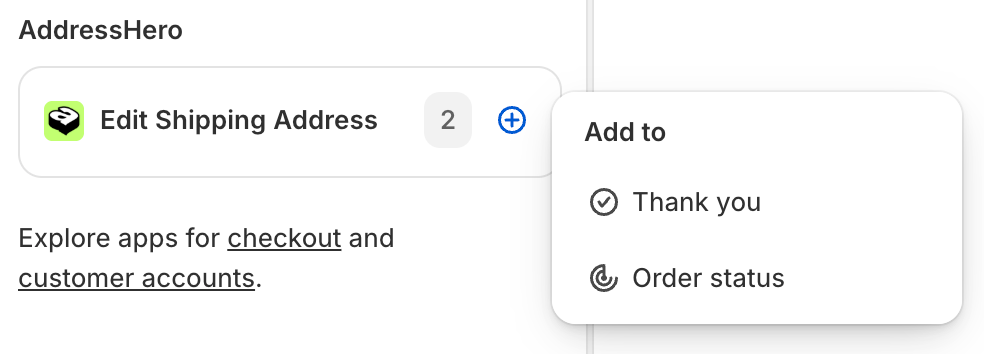
Activate the Self-Service
To activate the feature go to:
Settings > Post Checkout Validation > Self-service to edit shipping address after checkout

Configure automatic address correction for specific countries
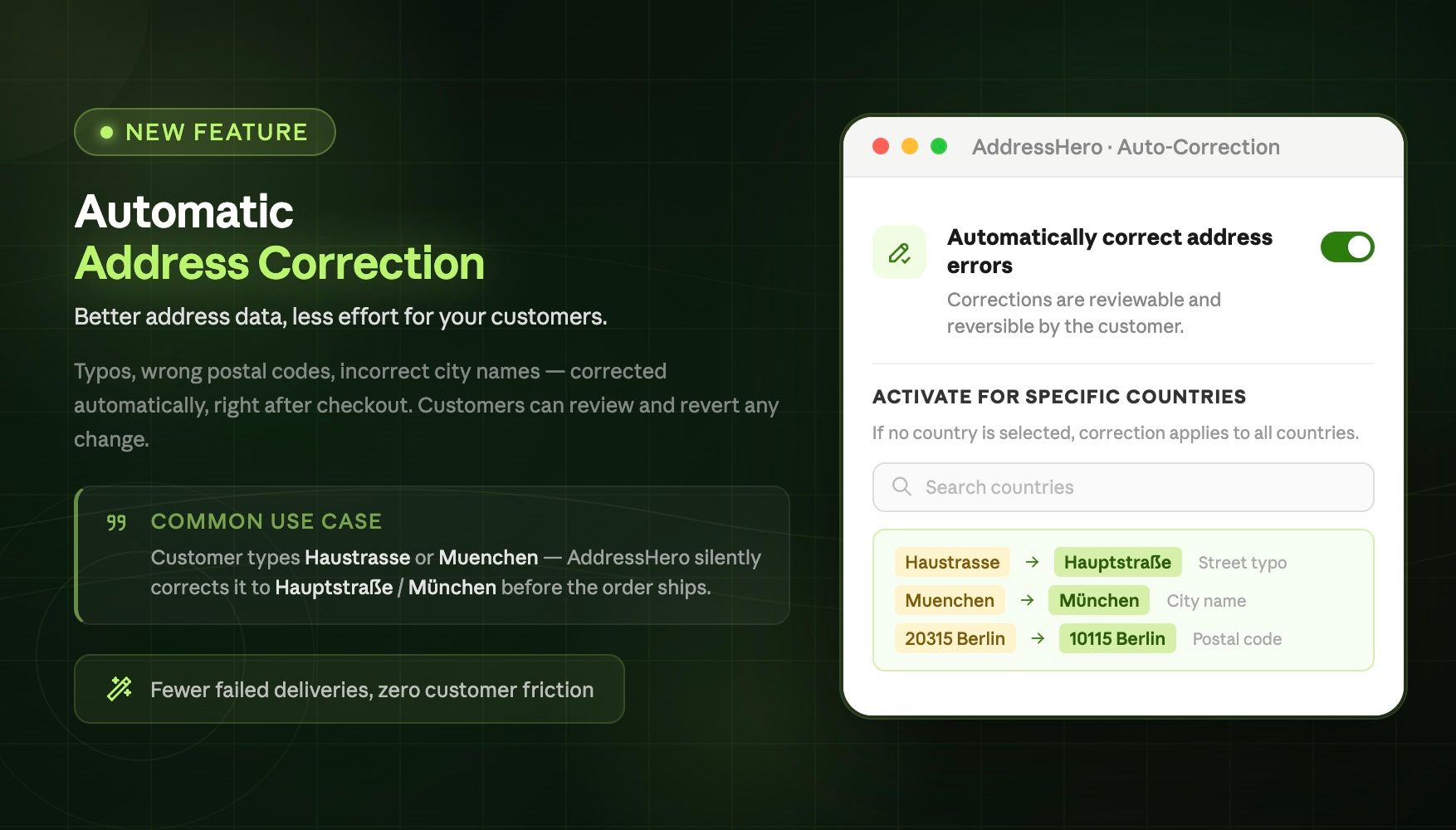
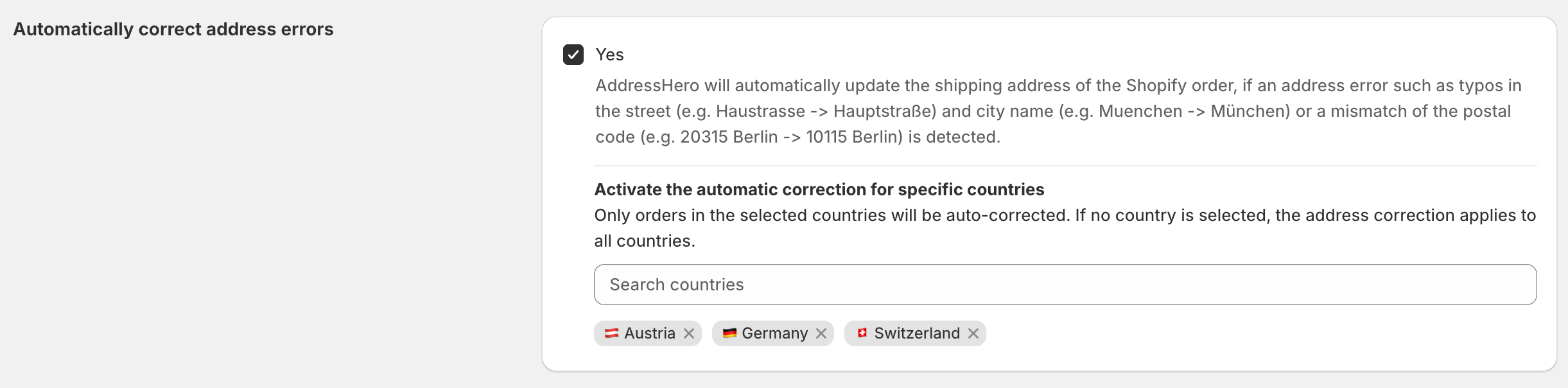
You can now configure for which countries the automatic address correction setting should be active. To specify the countries go to Settings > Automatic Corrections > Automatically correct address errors
User message for the selected countries after an address was automatically corrected
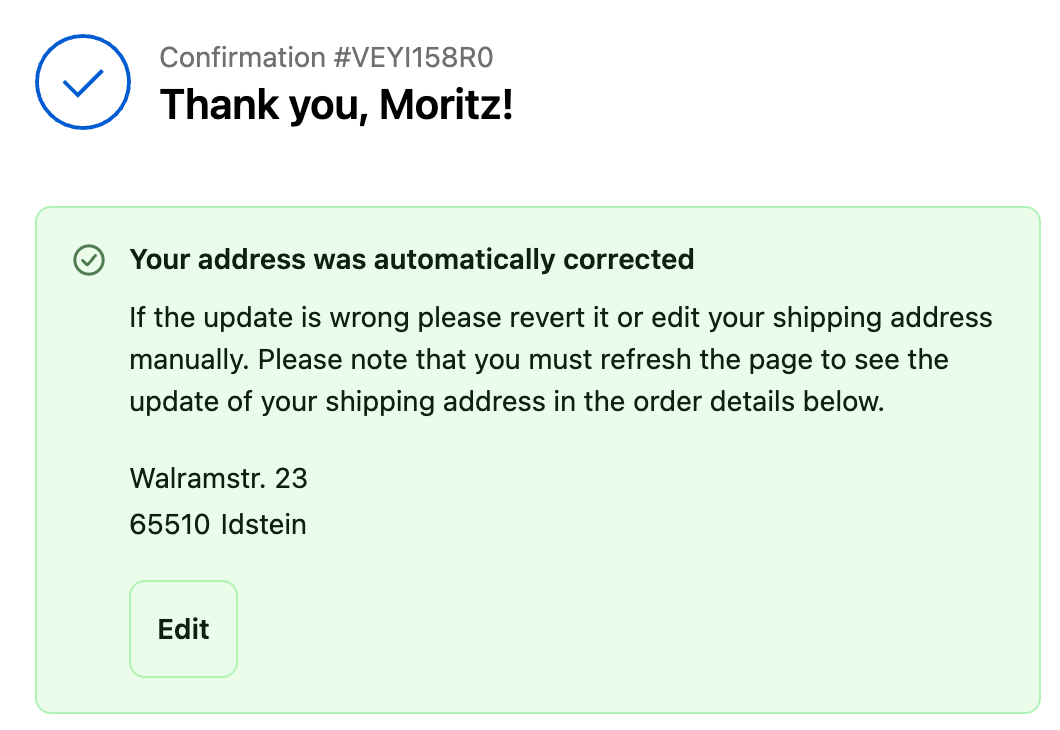
Any other country that is not selected still receives the address suggestion which the customer can accept manually.