Hero Software changelog
Self-service to edit shipping address after checkout
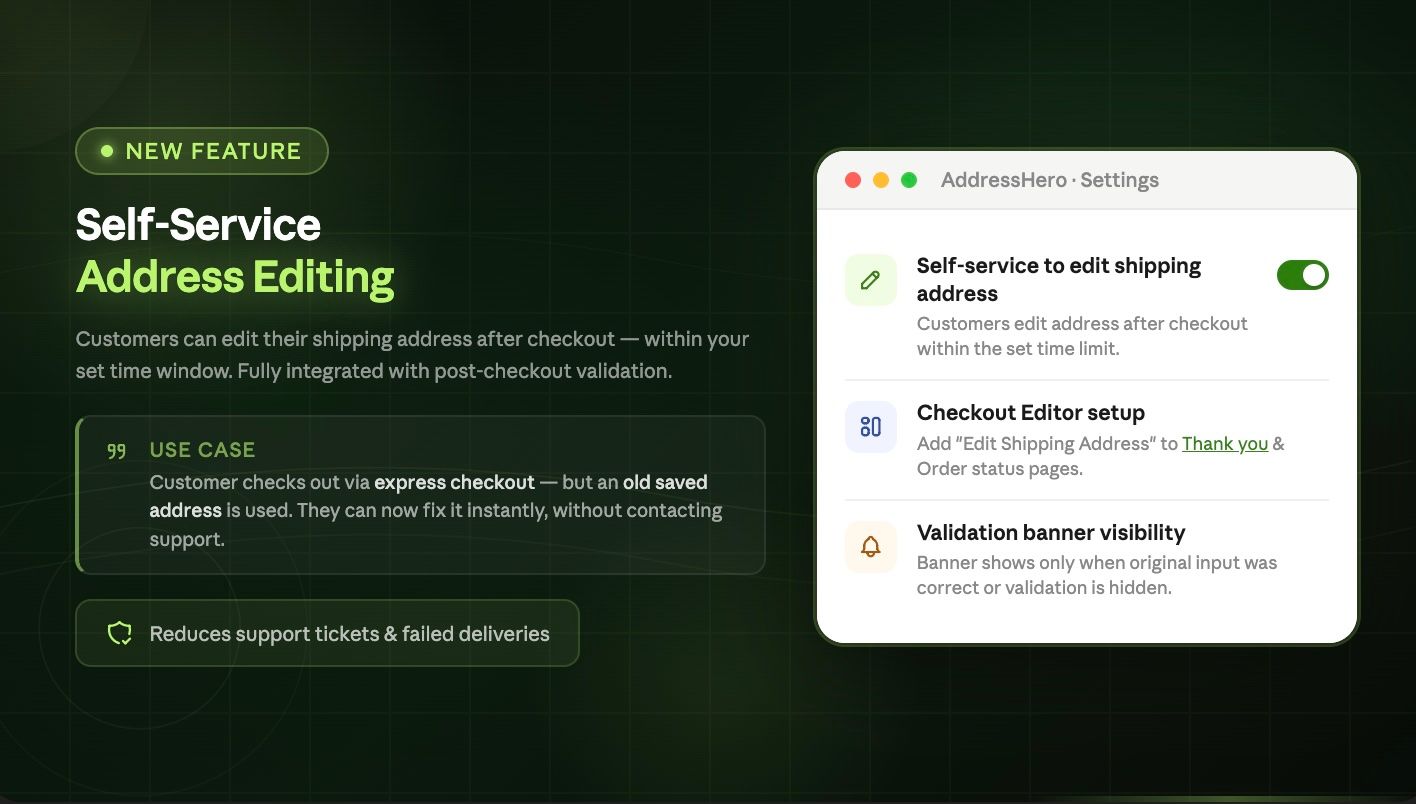
You can now allow customers to edit their shipping address after checkout. This is useful if the customer completes the checkout via an express payment method where an old address was saved and the customer wants to update their address.
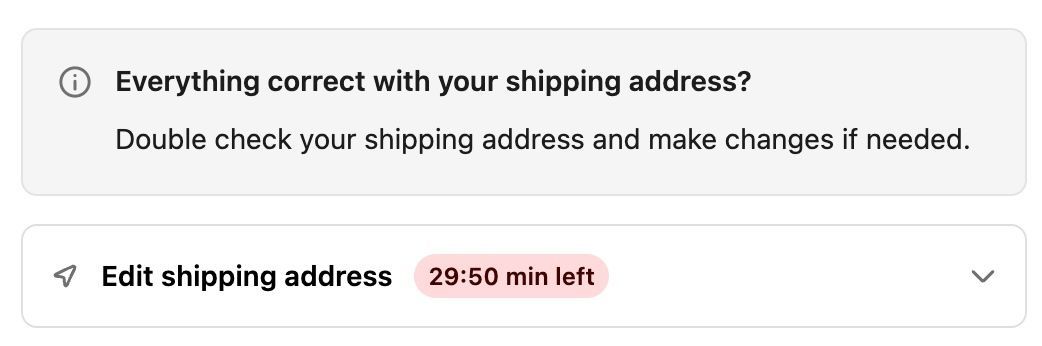
The extension is shown after every purchase, if no address error was detected.
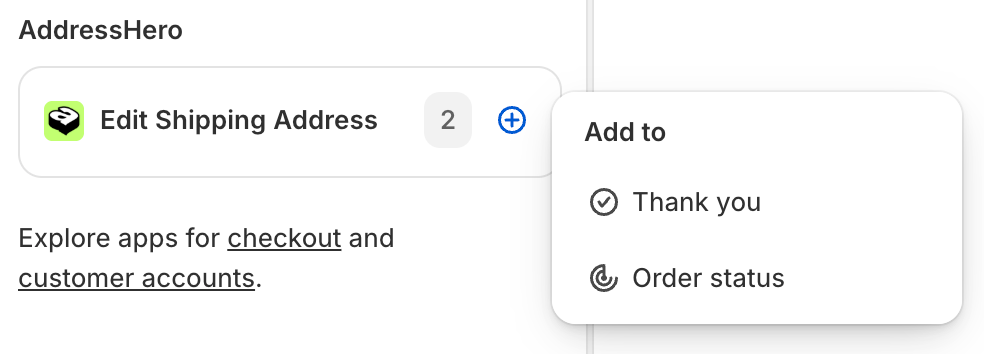
Install the Edit Shipping Address UI Extension
Open the checkout editor and add the Edit Shipping Address UI Extension to your “Thank You” and “Order Status” page.
Activate the Self-Service
To activate the feature go to:
Settings > Post Checkout Validation > Self-service to edit shipping address after checkout
