↵Öffnen
Hero Software changelog
Changelog
Die neuesten Releases und Verbesserungen von Post Purchase Upsell Hero .
Quantity Tier Upsell
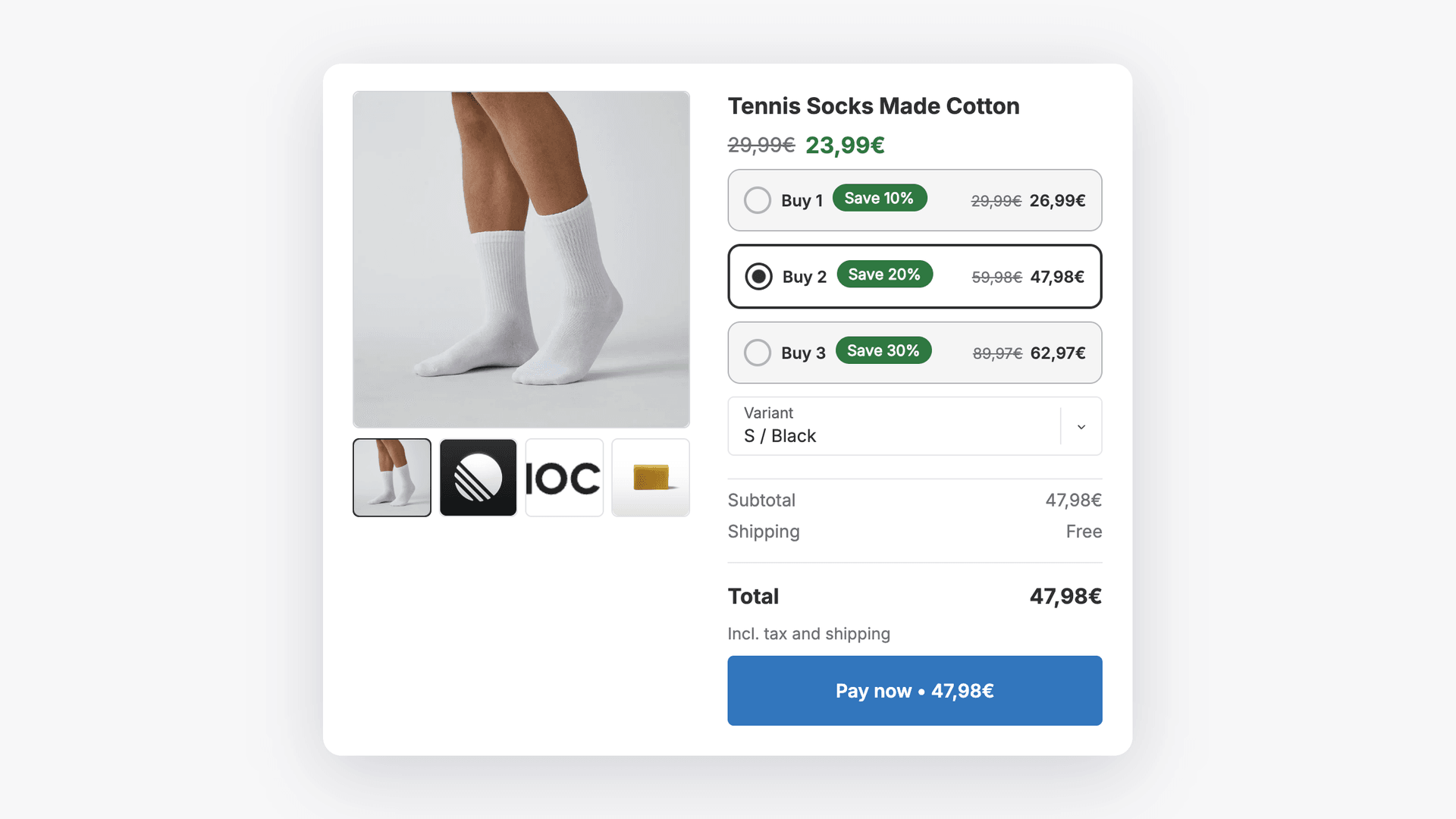
Reward customers who buy more with quantity-based discounts on your upsell offers. The offer page shows every tier with its price, so customers see what they save before they pick a quantity.
Set up your tiers
Add up to 5 discount tiers per offer, each as a percentage or a fixed amount. For example, 10% off for 1 unit, 15% for 2 units and 20% for 3 or more.
Open your funnel in the funnel editor and select the offer.
In the
Discounttab, switch onConfigure Discount Tiers.Set the discount for each quantity step. Use the add button for more tiers.
What customers see
A
Discount tiersblock that lists every tier with its price.A price that updates live as the customer changes the quantity.
Optional badges for one recommended tier and one best value tier.
Answer questions before they're asked: new FAQ section
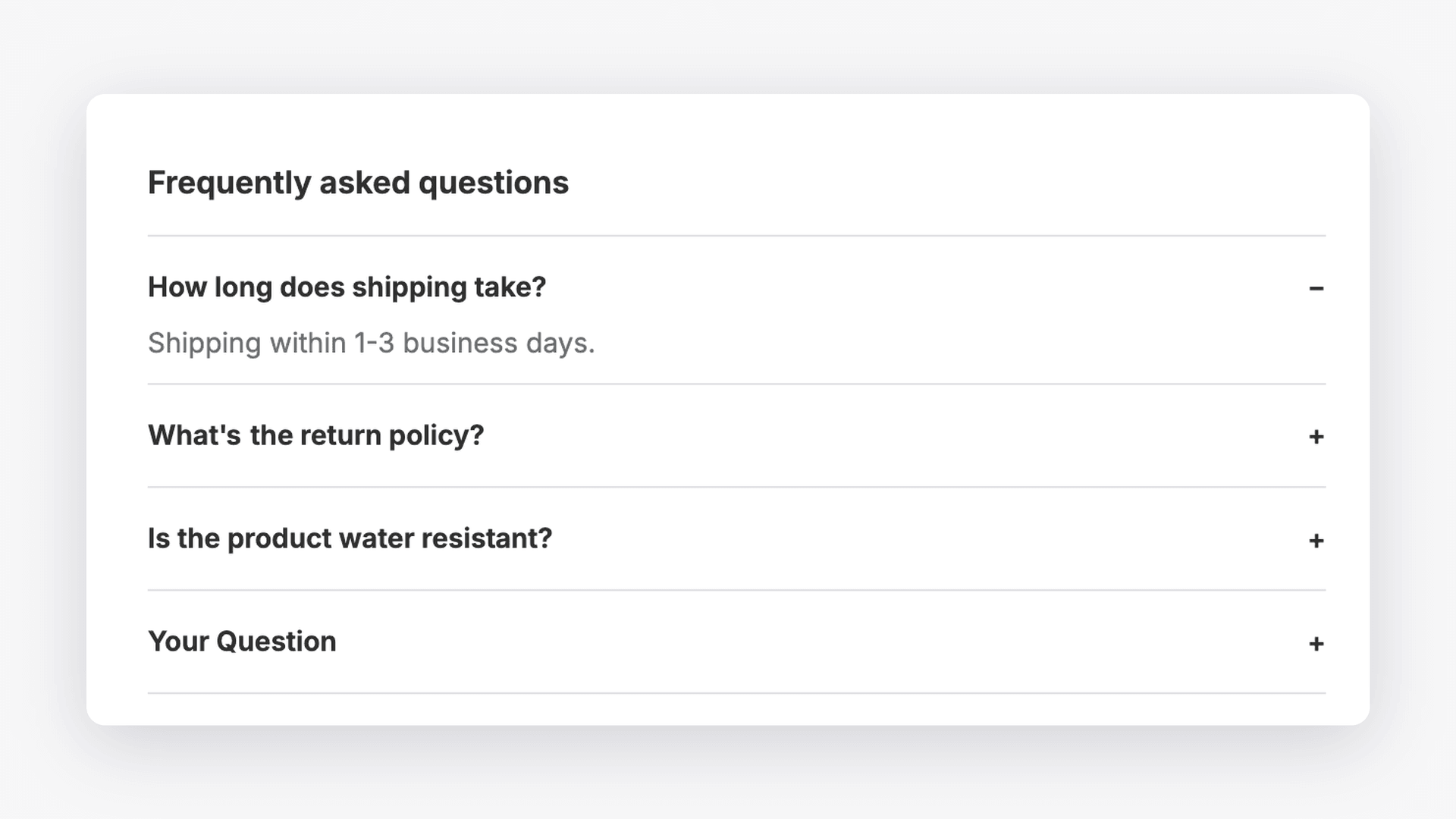
Many merchants use the post-purchase page to explain their products. Now there's a section built for exactly that.
Add an FAQ section to your offer page, with an optional heading.
Add, remove and reorder questions with drag & drop.
Customers open one answer at a time, and the first one is expanded by default.
Match your brand with custom colors and font sizes for heading, questions and answers in the
Advancedtab.Selling internationally? Auto-translate covers your FAQ, too.
Fixed quantities for your upsell offers
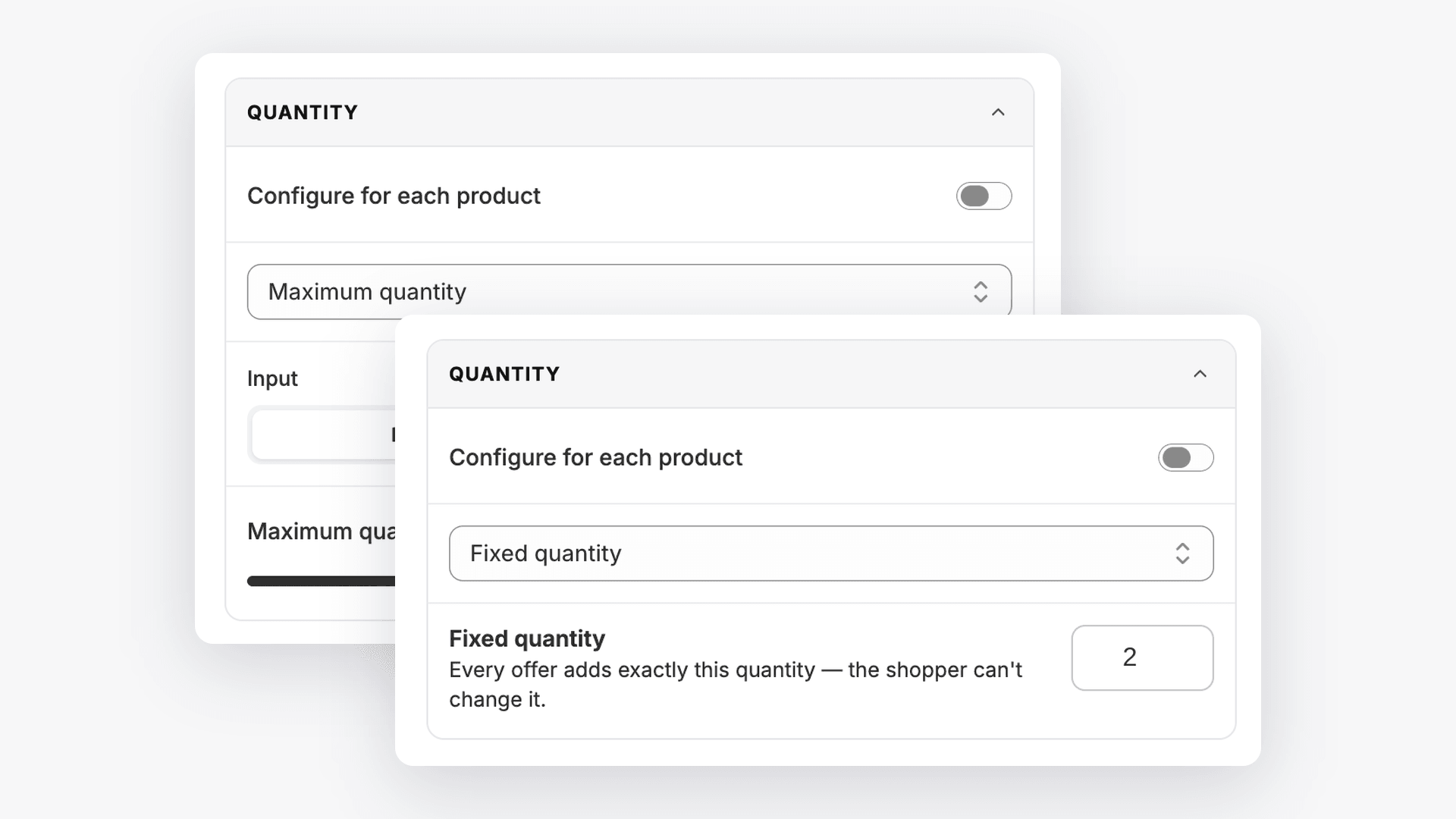
Some products sell best as a bundle. Now your upsell offer can, too.
Choose between maximum or fixed quantity. Lock an offer to a set amount, for example a 2-pack, and your customers get exactly that. The quantity can't be changed at checkout.
Prices that add up. Sale price, reference price, savings and the buy button are all calculated for the full quantity, so what your customers see is what they pay.
Switching from AfterSell? Offers with a locked quantity are now imported as fixed quantities, so your best-performing bundles work right away.
Find it in your offer under Design → Quantity Selector.
Sidekick AI Integration
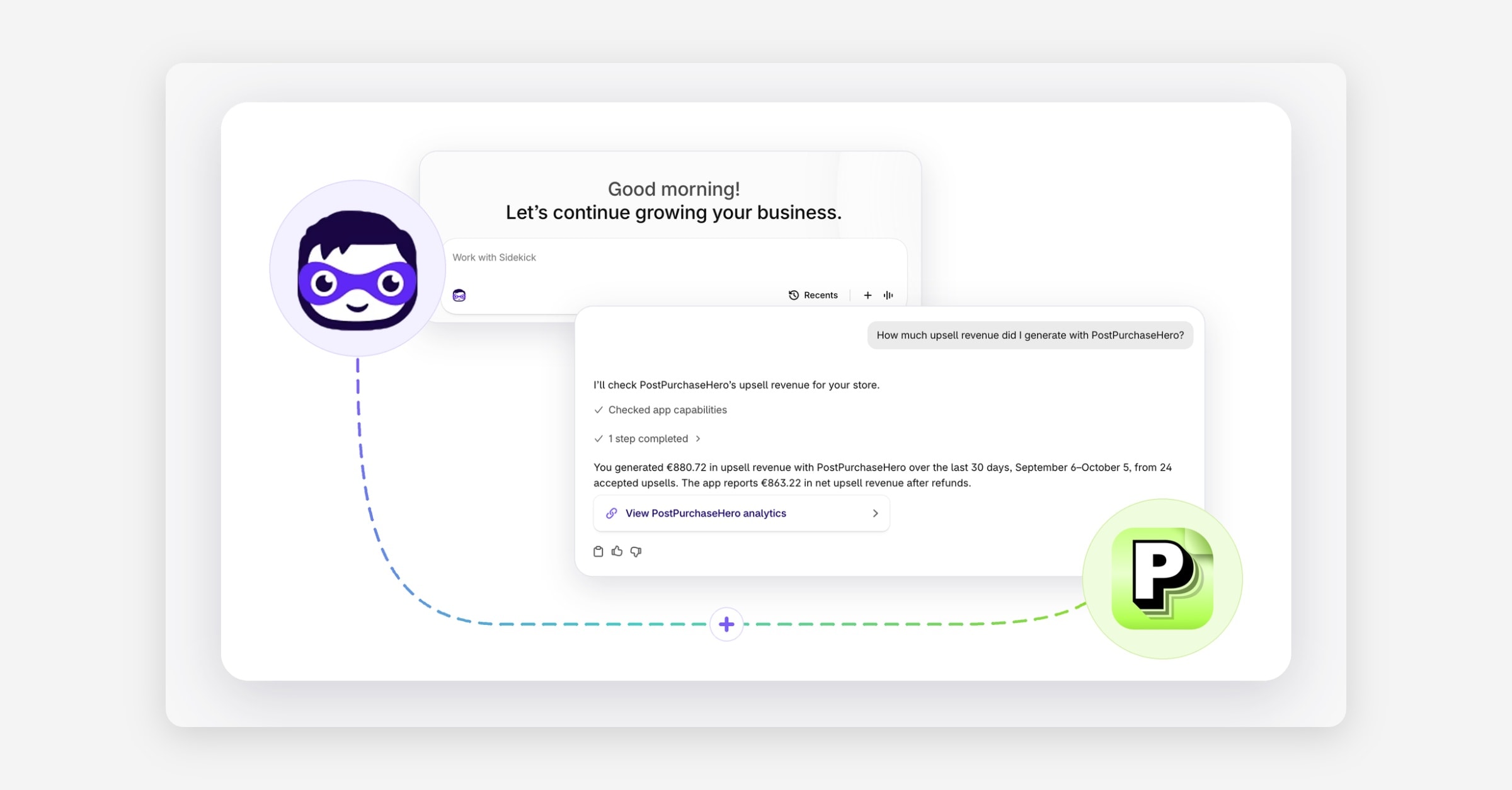
Ask Sidekick about how your store is performing. You can check post-purchase upsell revenue and conversion, compare funnels and top products, investigate likely reasons offers were skipped, and check setup status.
Custom Styling Post Purchase Offer Layout
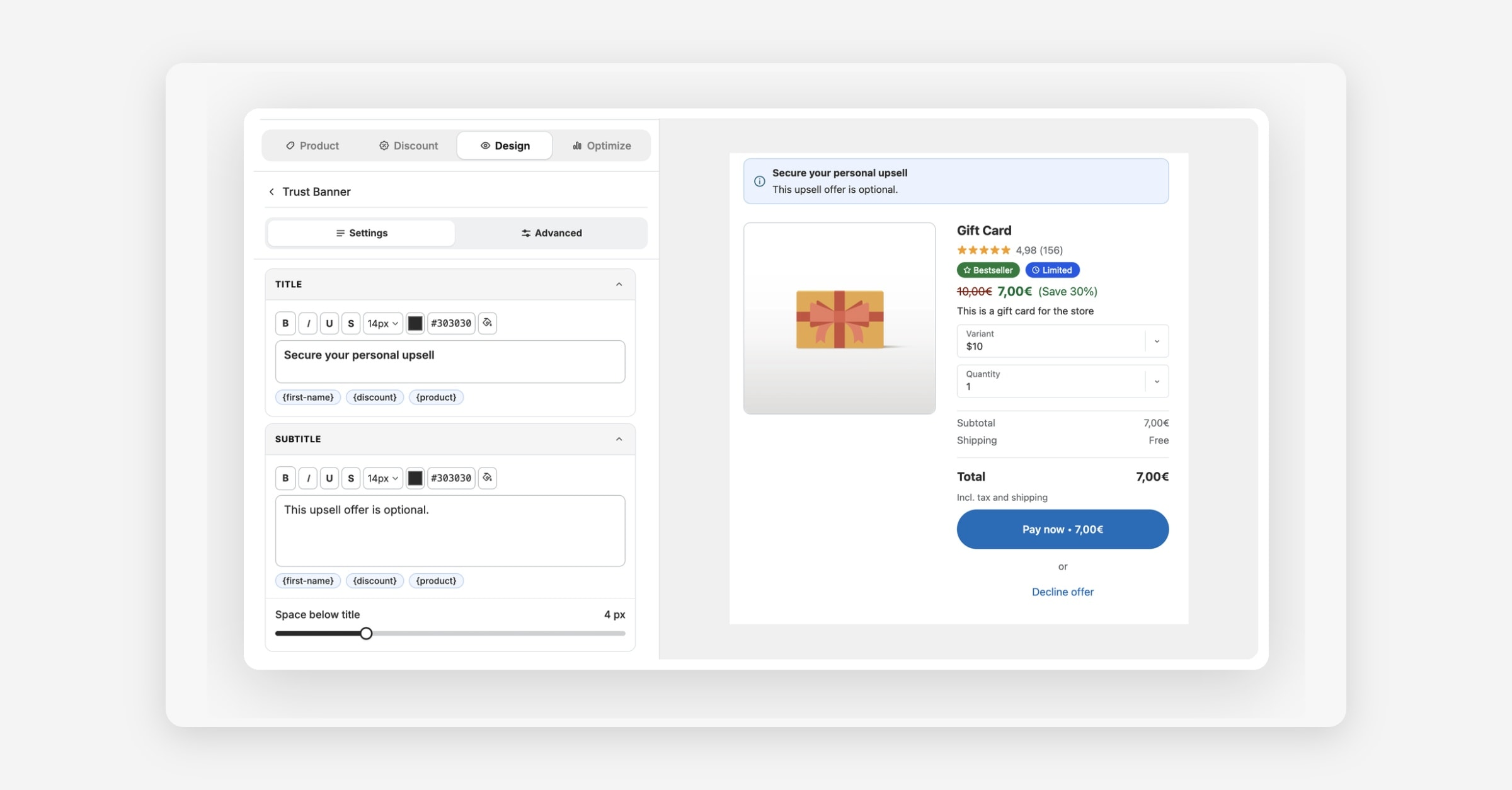
Right after checkout, your customers are at their most engaged. So why should your upsell offer look like everyone else's? With the new design settings, you can turn your post-purchase page into a branded experience that sells.
Design settings for your post-purchase page. Customize fonts, colors, backgrounds, spacing and corner radius, add images and videos, highlight savings with reference prices and custom badges, and display product reviews. Build upsell offers that look like your brand and convert like it.
Make it look like you. Adjust font sizes, colors and backgrounds, fine-tune spacing and soften elements with rounded corners, so every offer matches your brand identity.
Show, don't tell. Add images and videos to bring your offer to life and make its benefits clear at a glance.
Make the deal impossible to miss. Show reference prices, highlight savings, and add badges with icons and your own copy.
Let shoppers convince shoppers. Display reviews so customers see what others love about the product.
Klaviyo und Loox Integration
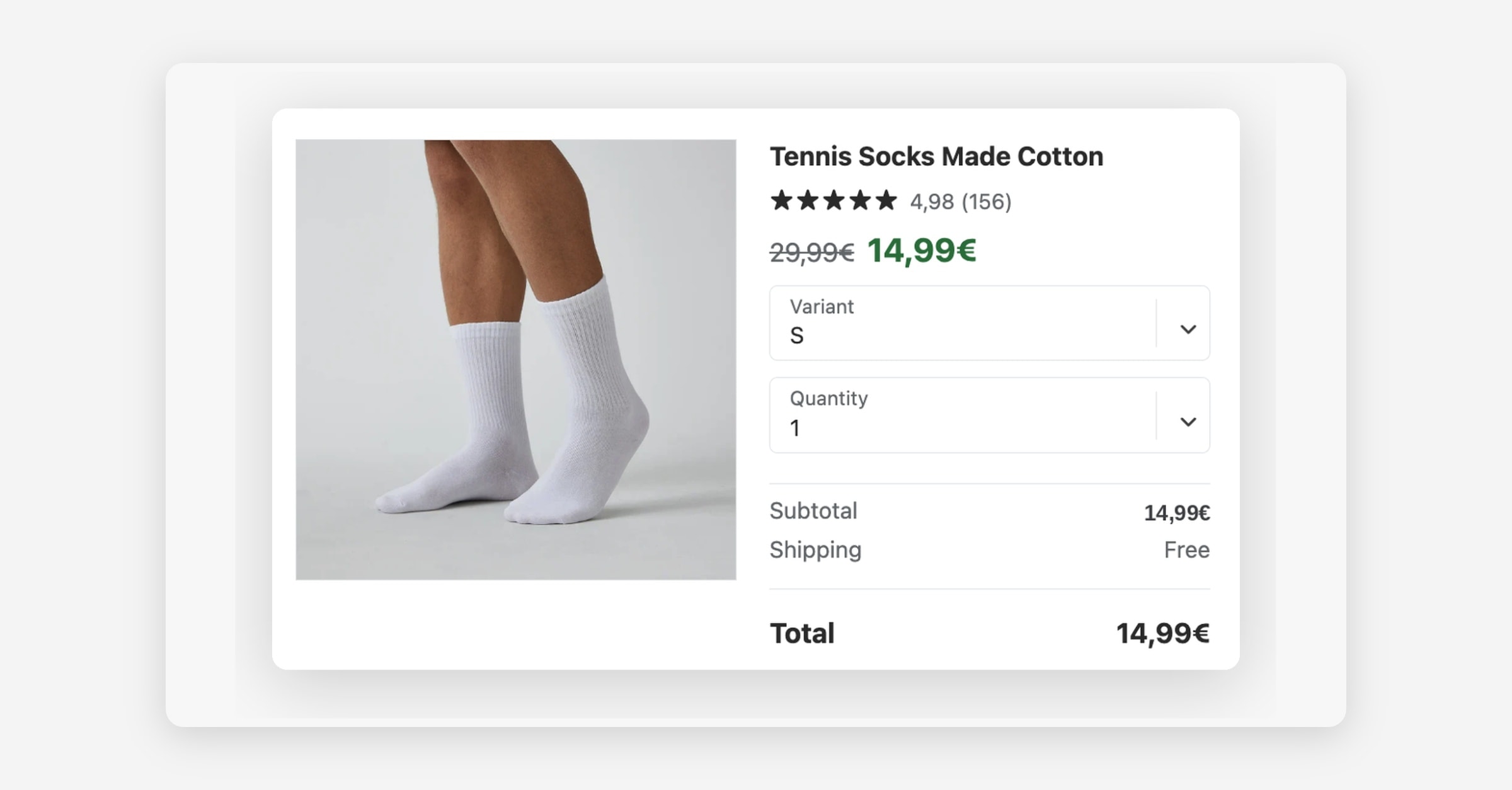
Display product reviews directly with your post purchase offers. This can create additional trust and help to increase conversion.
We have available integrations for:
Full A/B test integration
You can now A/B test every offer in your funnel flow and optimize your conversion step-by-step. This means, beside the initial upsell (level 1) you can also test the first upsell or downsell (level 2) as well as the final upsell / downsell offers (level 3), before the customer reaches the Thank You page.
Trigger for Shopify Flow Integration
Post Purchase Upsell Hero now triggers, that can be used for Shopify Flows:
Post Purchase Offer Completed (recommended)
triggered once the upsell process is completed and at least one upsell was accepted (when the customer reaches the thank you page)
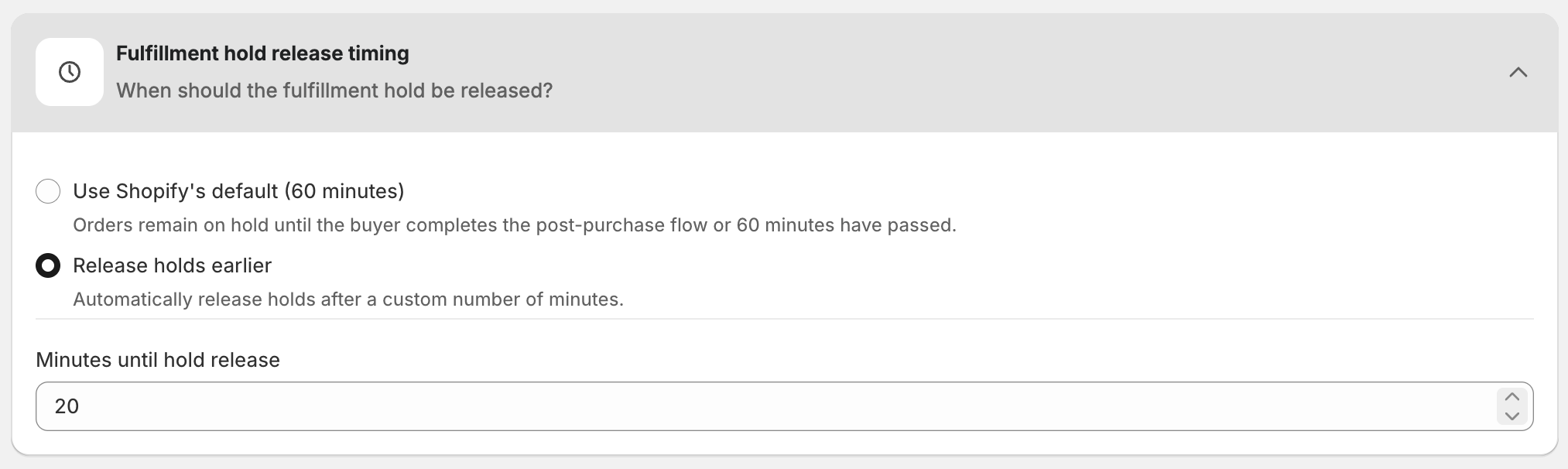
when customer abandons the post purchase page without any interaction, the event is triggered, after the 60 min default fulfillment release or the custom release which can be configured in the settings
Post Purchase Offer Accepted
triggered when a customer accepts an offer
Post Purchase Offer Declined
triggered when a customer declines an offer